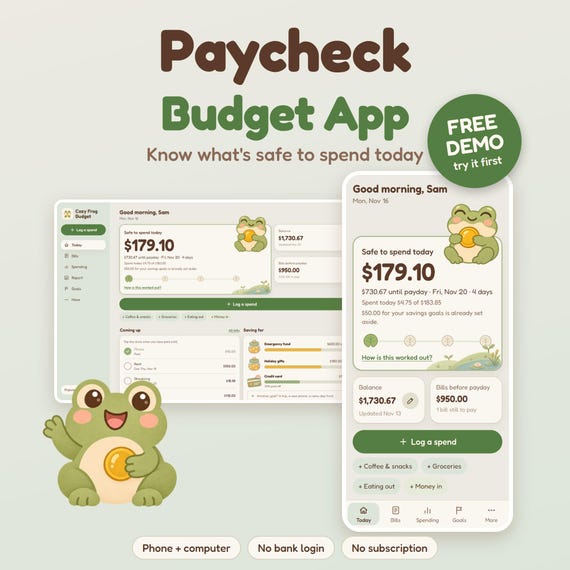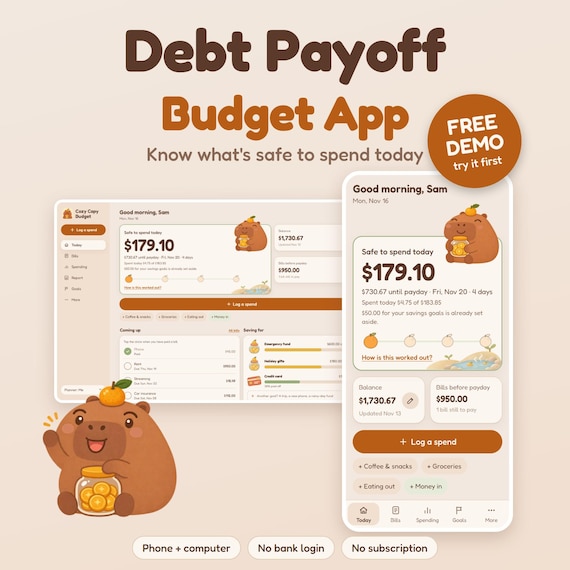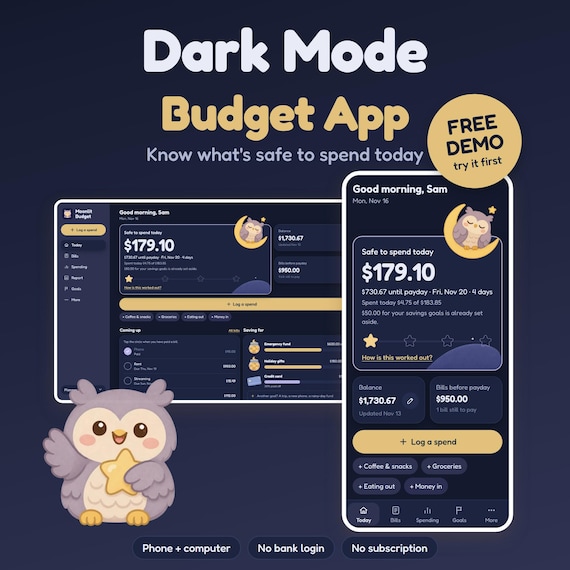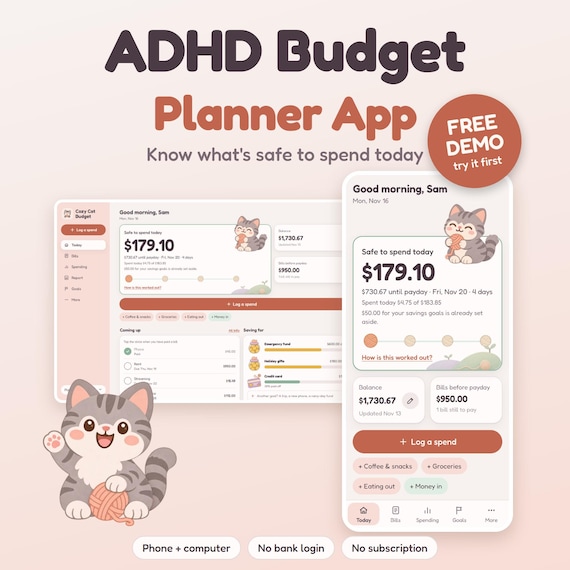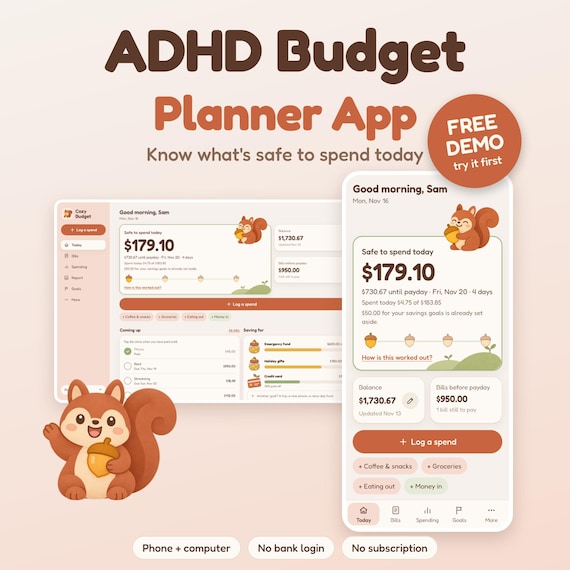
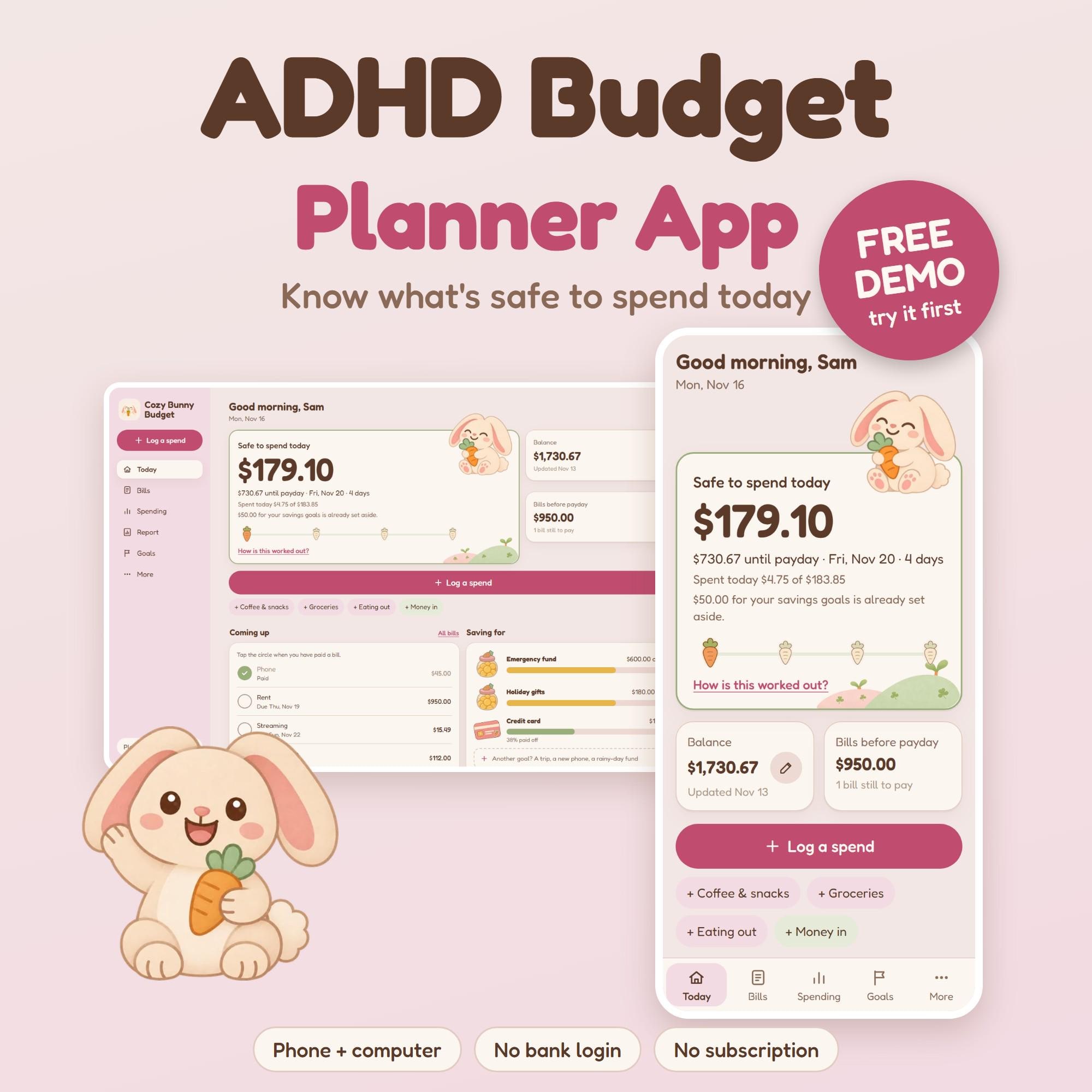
COZY BUNNY BUDGET: a calm, sweet budget planner app with one big number: what is safe to spend today.
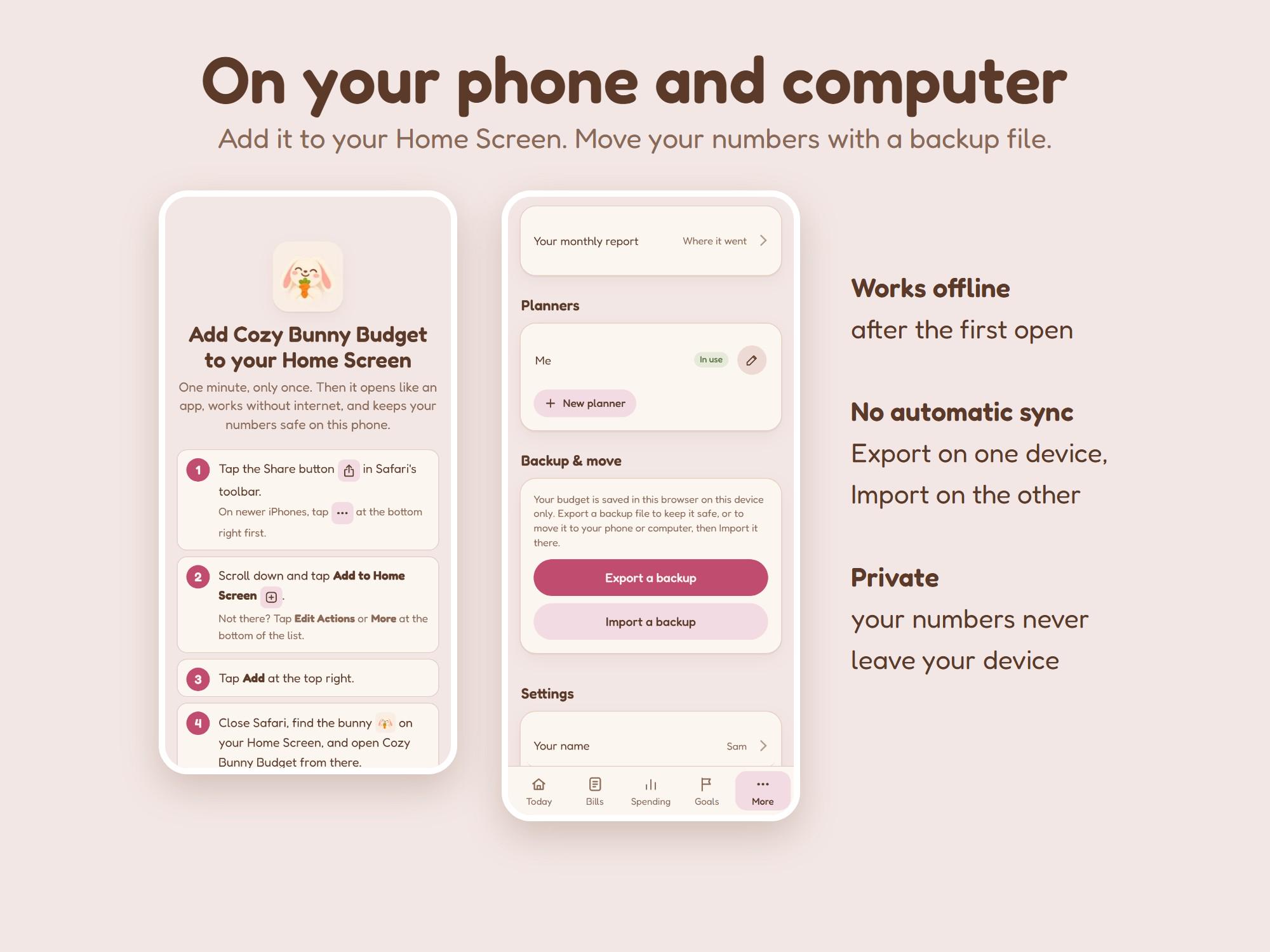
Made for brains that give up on spreadsheets. No bank login, no account, no subscription. It runs in your web browser on your phone and your computer, and on your phone it sits on your Home Screen like an app and works without internet.
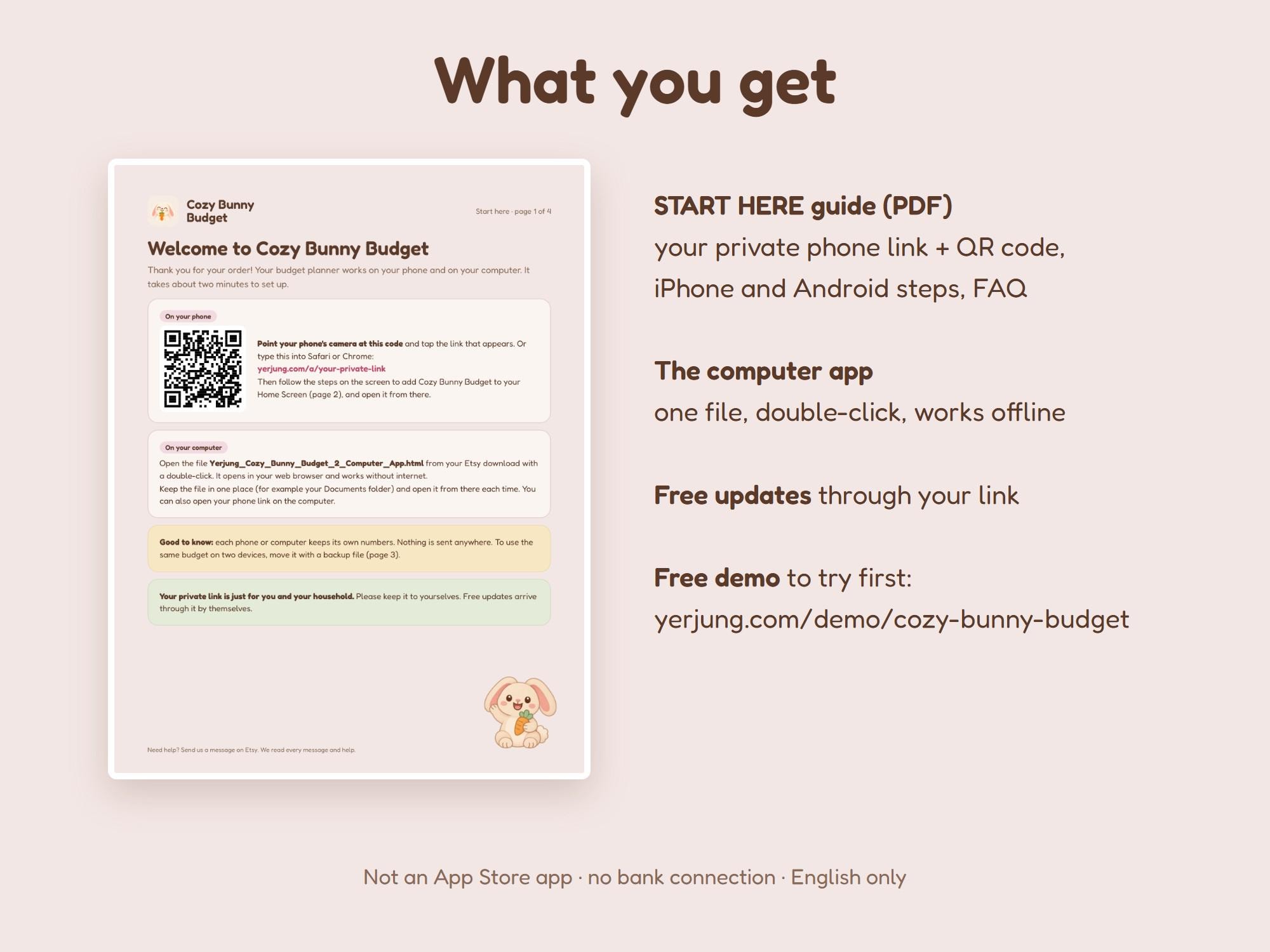
Try the free demo first (sample numbers, nothing is saved):
https://yerjung.com/demo/cozy-bunny-budget/
Please read before you buy
- Not an App Store or Google Play app. It opens in Safari or Chrome.
- No bank connection. You type your balance from your banking app.
- Your numbers stay on the device you use. Phone and computer do not sync by themselves: you move your numbers with a backup file (Export, then Import), shown step by step in the guide.
- English only. Money in 40 currencies.
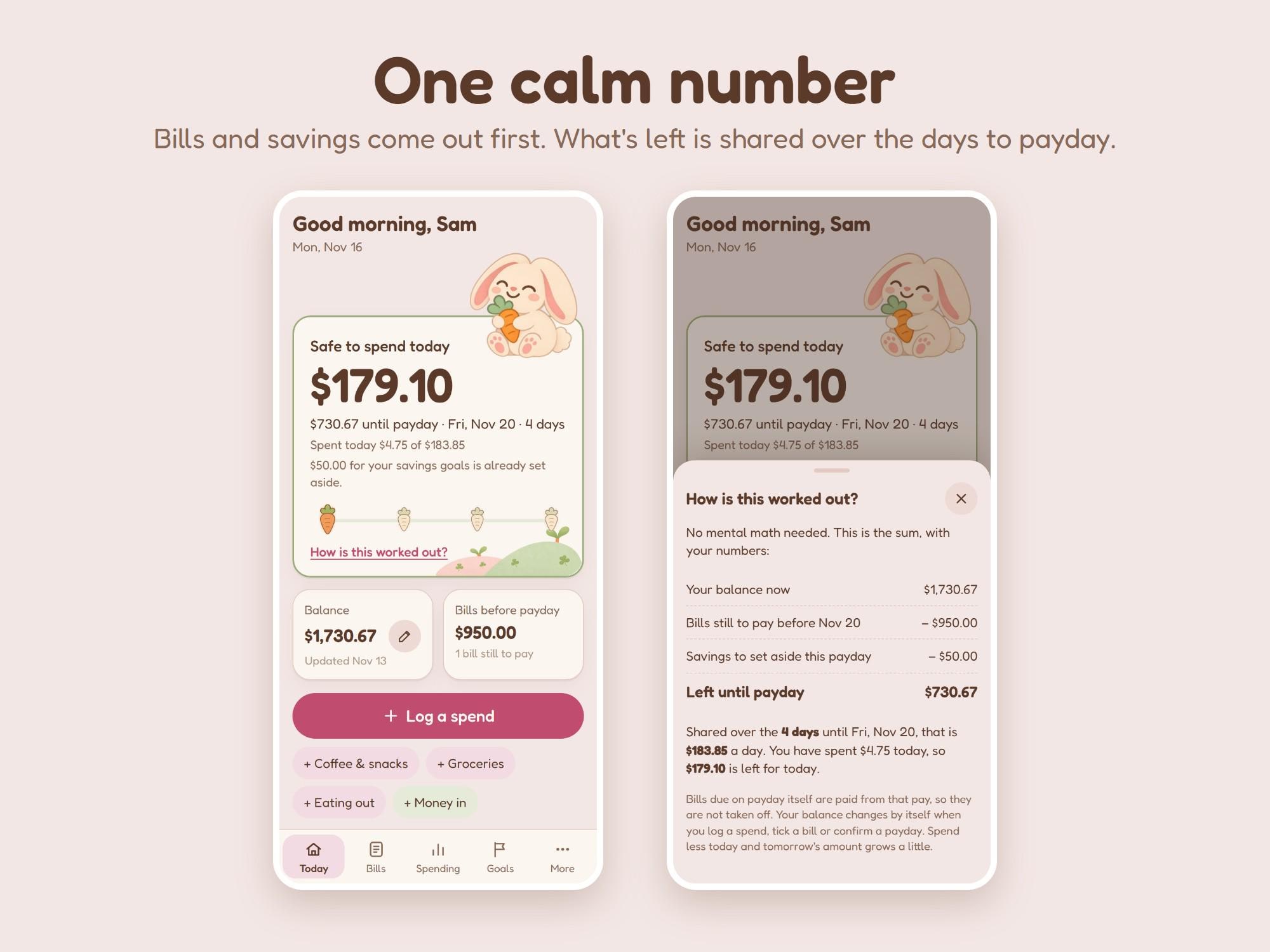
How your number works
Your balance
minus bills still to pay before your next payday
minus the savings you set aside for this payday
= what is left, shared over the days until payday.
That is your Safe to spend today. Tap "How is this worked out?" any time to see the sum with your own numbers.
What it does
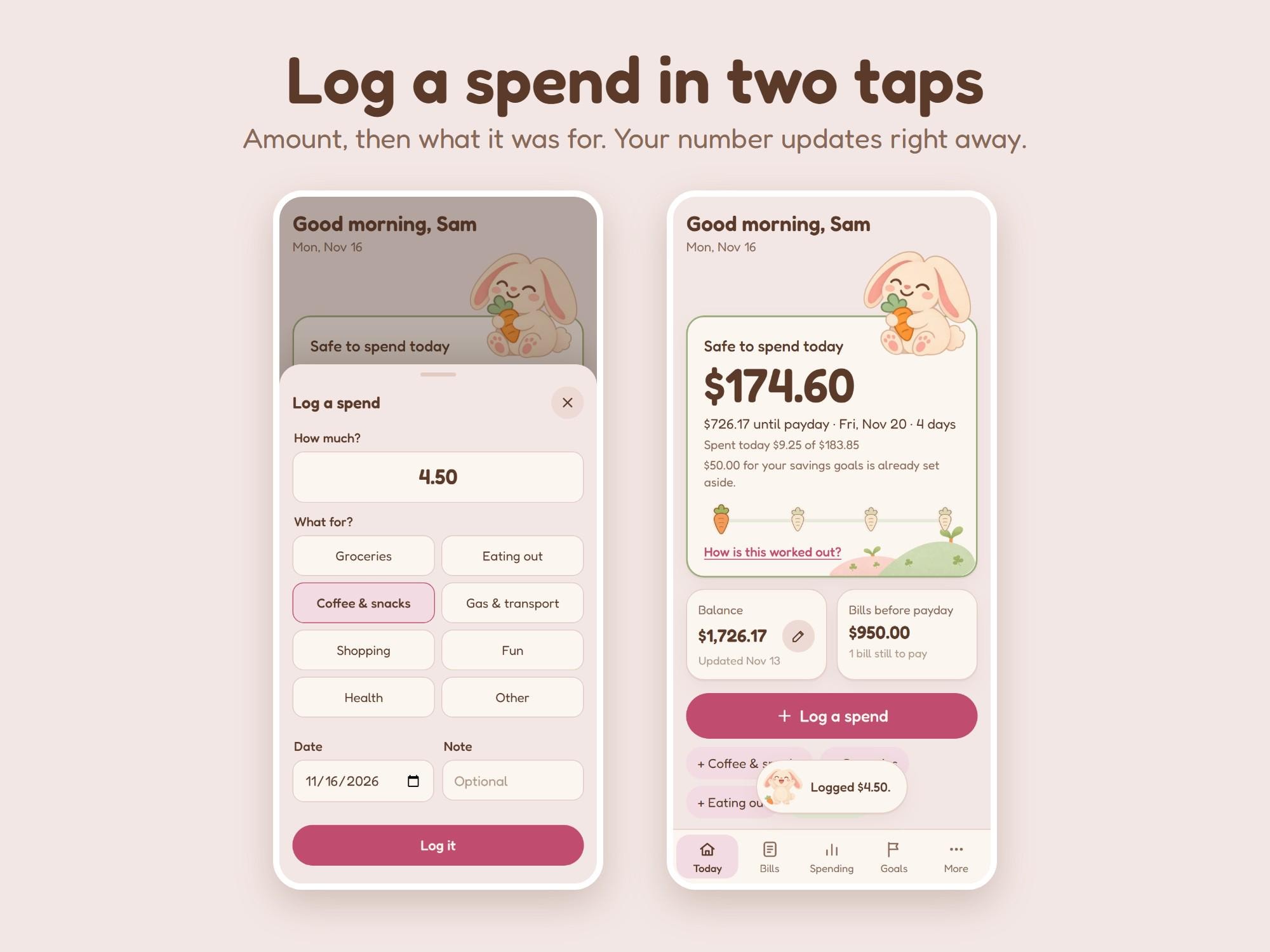
- Safe to spend today: one big number, and how much is left until payday
- Pay schedule: weekly, every 2 weeks, twice a month or monthly, and more than one paycheck
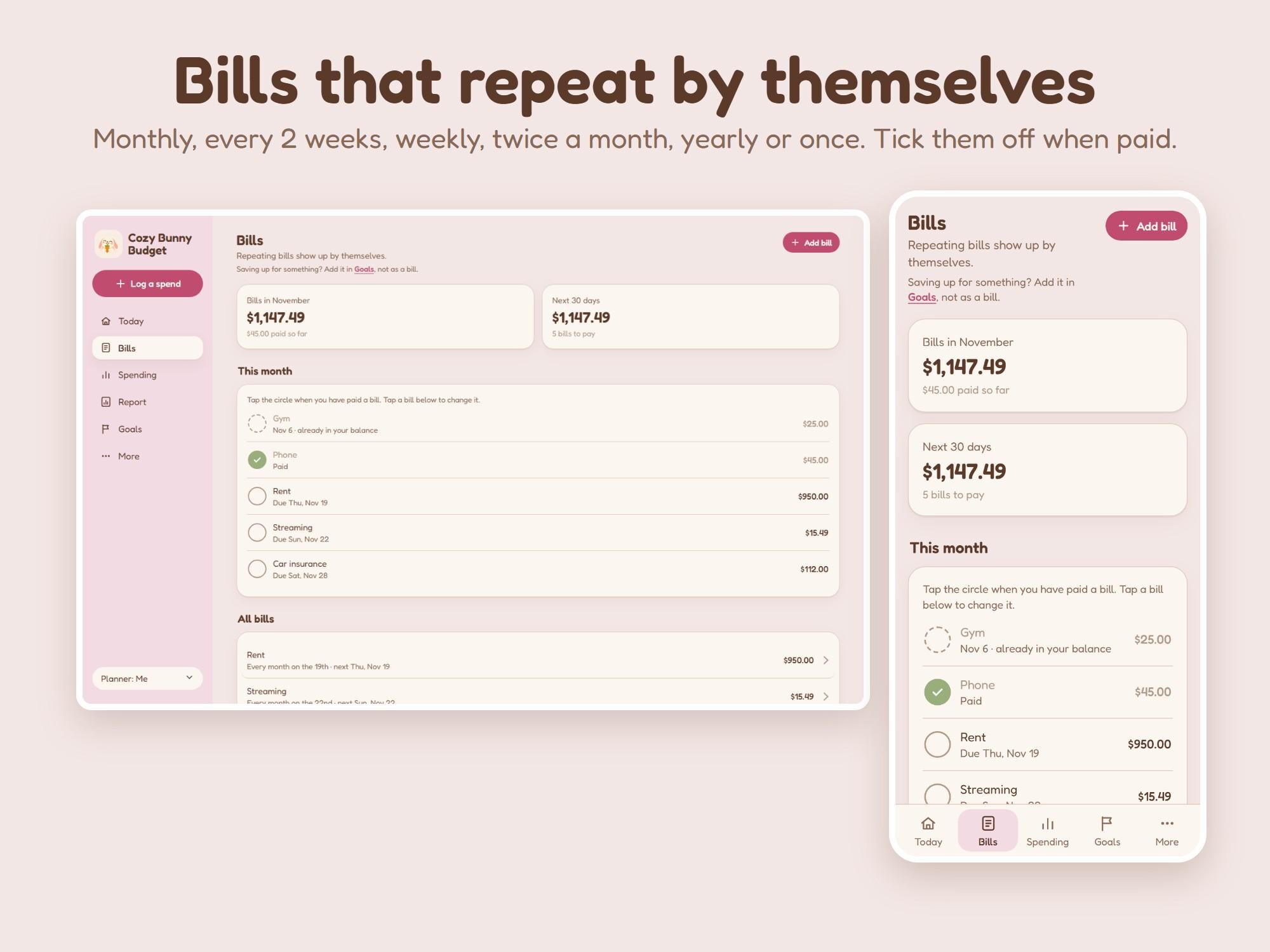
- Bills that repeat by themselves: monthly, every 2 weeks, weekly, twice a month, yearly or just once. Tick them off when paid
- Log a spend in two taps: amount, then what it was for. Rename the categories to fit your life
- Your balance, fixed any time: type what your bank shows and everything lines up again
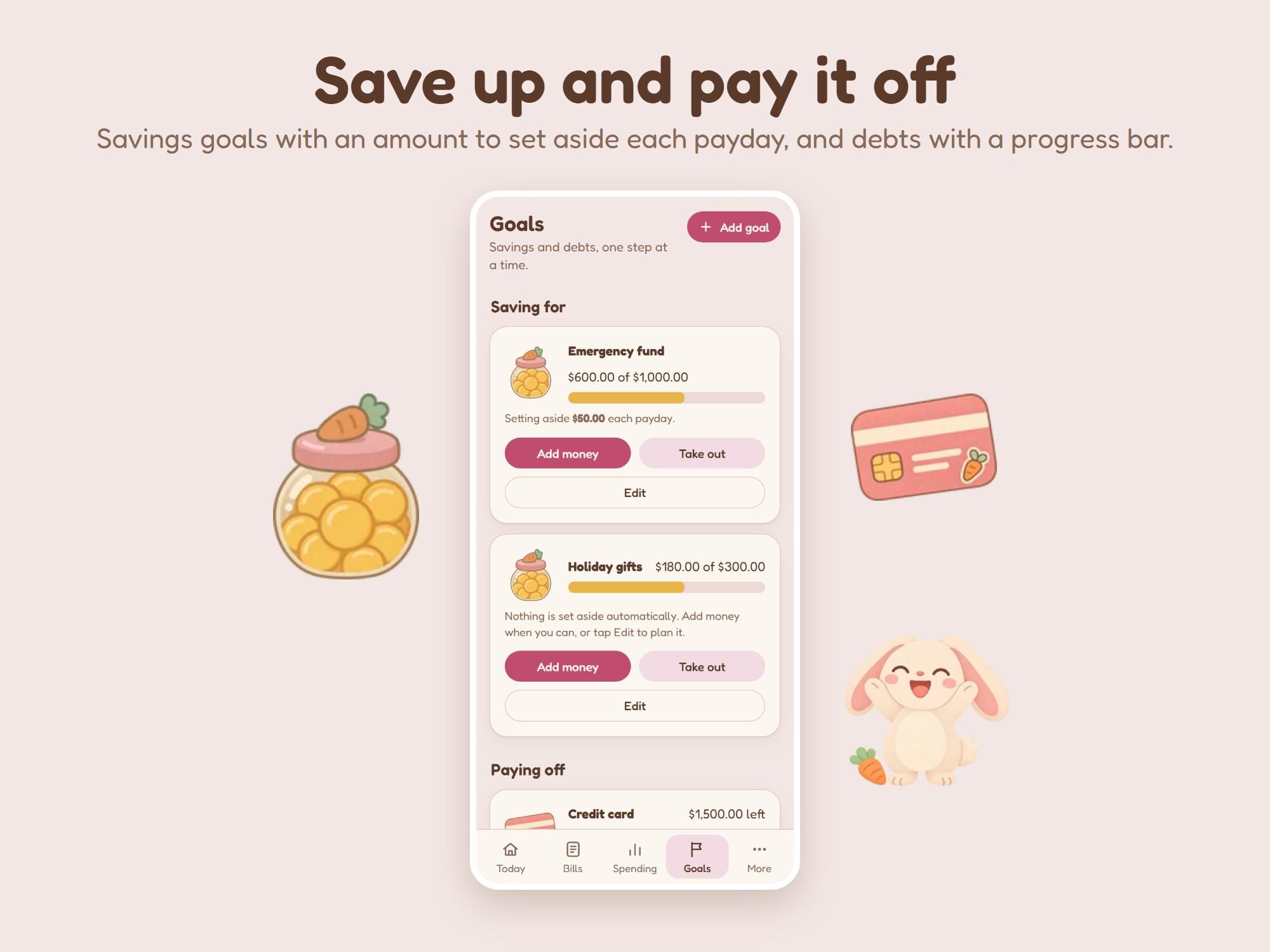
- Savings goals: pick a date and it works out how much to set aside each payday, or choose your own amount. Every entry can be changed or deleted
- Debt payoff with a progress bar and a list of your payments
- Money in: log extra money like a side job, a refund or a gift
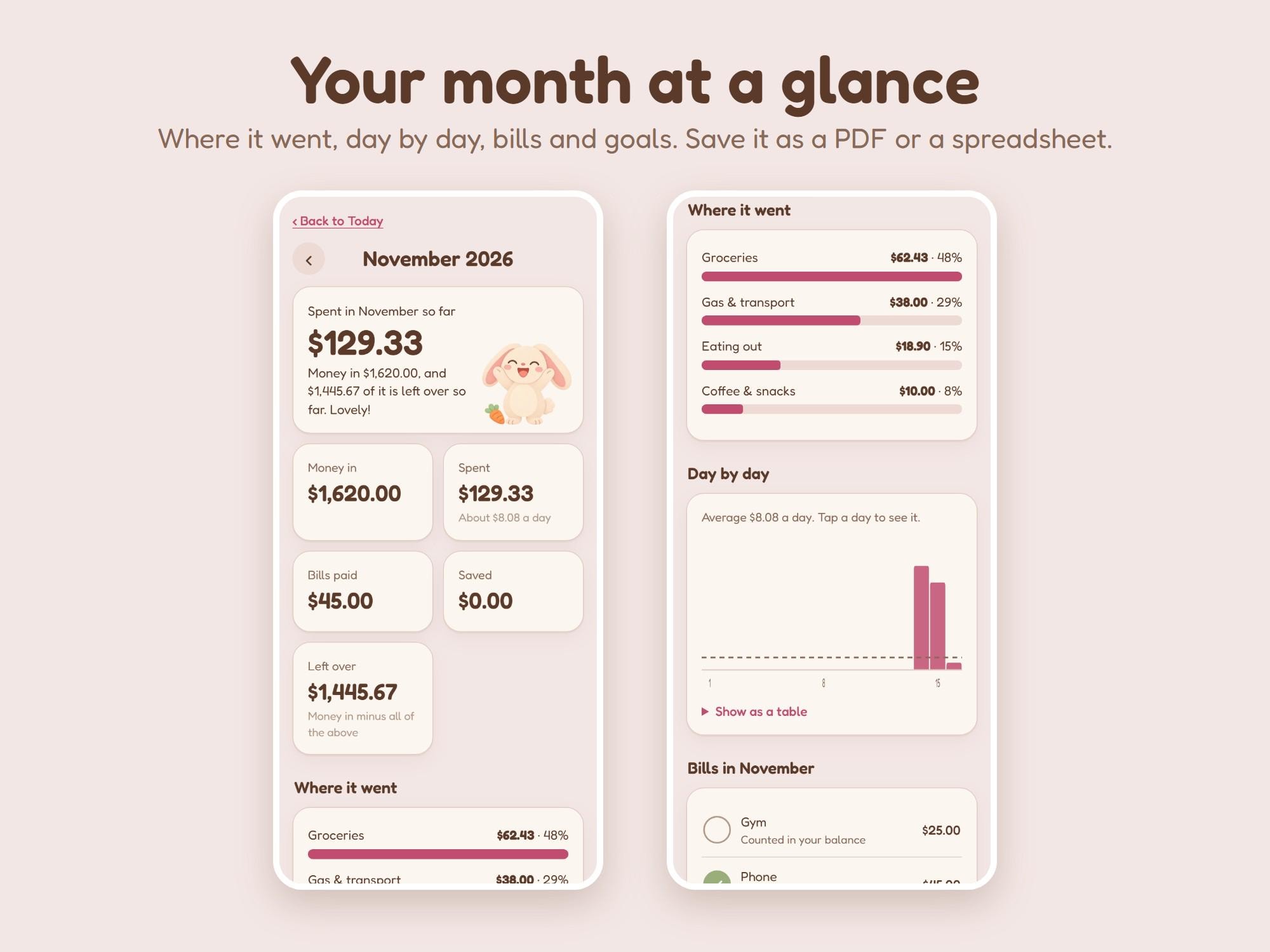
- Monthly report: where your money went (and how it compares with last month), day by day, bills, goals and your biggest spends. Print it, save it as a PDF or download a spreadsheet (CSV)
- More than one planner in one app, for example "Me" and "Household"
- Paydays: on payday it asks if your pay arrived, then adds it
- Backup and move: save a backup file, open it on another phone or computer
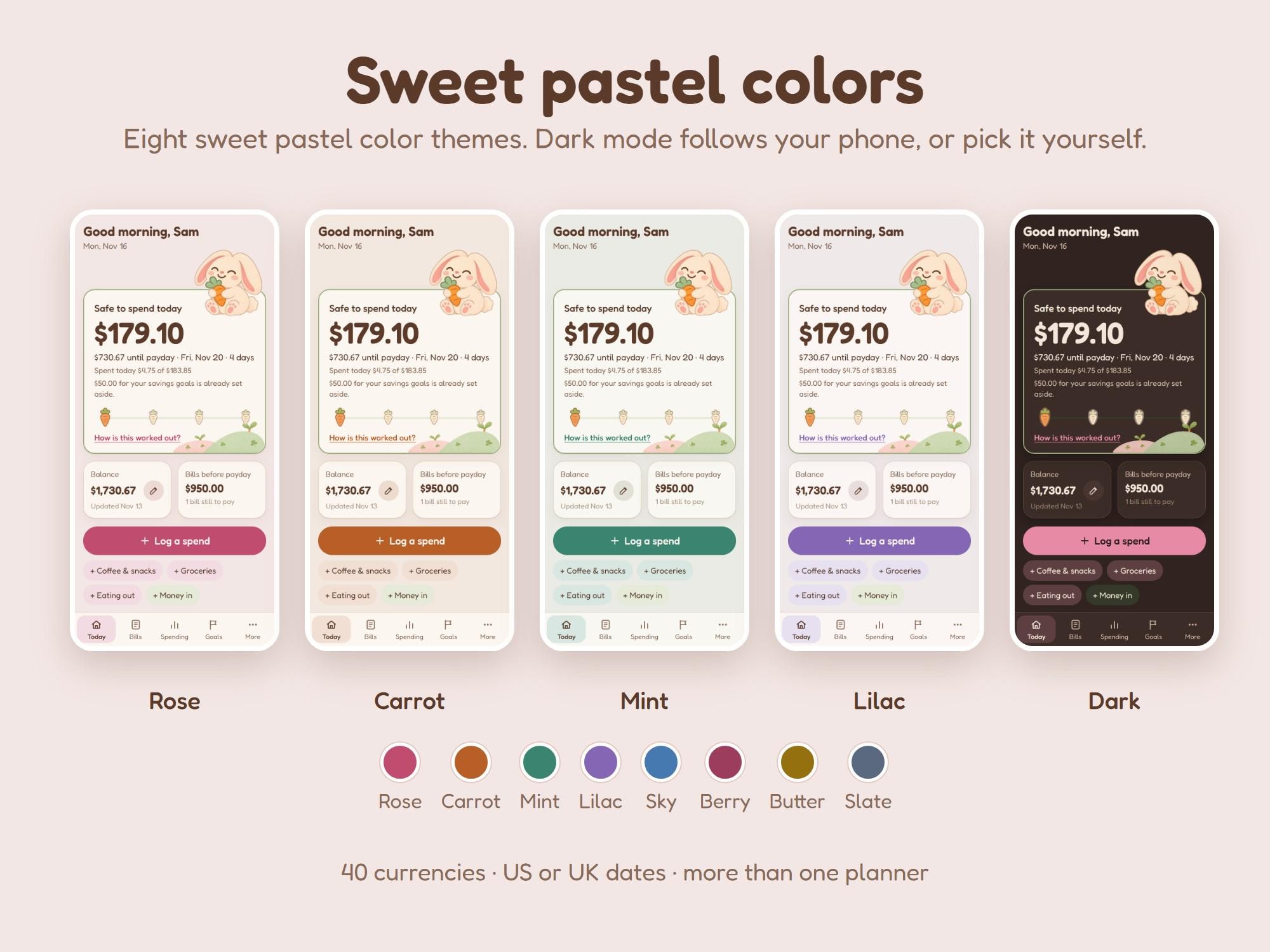
- 8 sweet pastel color themes (rose, carrot, mint, lilac, sky, berry, butter, slate), light and dark, US or UK date style
Made to be easy on your brain
- Three short questions to start, then your number. Or look around with sample numbers first
- A cute fluffy bunny cheers when you pay a bill or log a spend, with soft little sounds (off, soft or normal) and gentle animations
- Reach a goal and little carrots rain down
- No red warnings, no streaks to break. Missed a few days? Type your balance and you are back
Same app, other looks
The same app comes in six looks: Cozy Budget (squirrel, warm autumn colors), Cozy Cat Budget (kitten, soft pastels), Cozy Frog Budget (frog, calm garden greens), Cozy Bunny Budget (bunny, sweet pinks), Cozy Capy Budget (capybara, warm calm oranges) and Moonlit Budget (owl, dark mode). A backup file from one opens in any other.
What you get (instant download)
- START HERE guide (PDF): your private phone link with a QR code, setup for iPhone and Android, moving between phone and computer, and answers to common questions
- The computer app: one file you open with a double-click, works offline
- Free updates through your private link
Please note
- This is a digital download. No physical item will be shipped.
- Works in up-to-date Safari, Chrome, Edge and Firefox on iPhone, iPad, Android, Mac and Windows.
- Your budget is saved in your browser. Clearing your browser data removes it, so the app reminds you to keep a backup file.
- It is a tool to see your own money clearly. It is not financial advice.
- ADHD-friendly describes the design (simple, calm, one number first). It is not a medical product.
- License: for you and your household. Please do not share, resell or give away the link or the files.
- Because this is a digital item we can't accept returns or exchanges, but if anything doesn't work, message us and we'll help right away.
- Made by Yerjung with the help of AI tools for parts of the artwork. Design, code and layout by Yerjung.