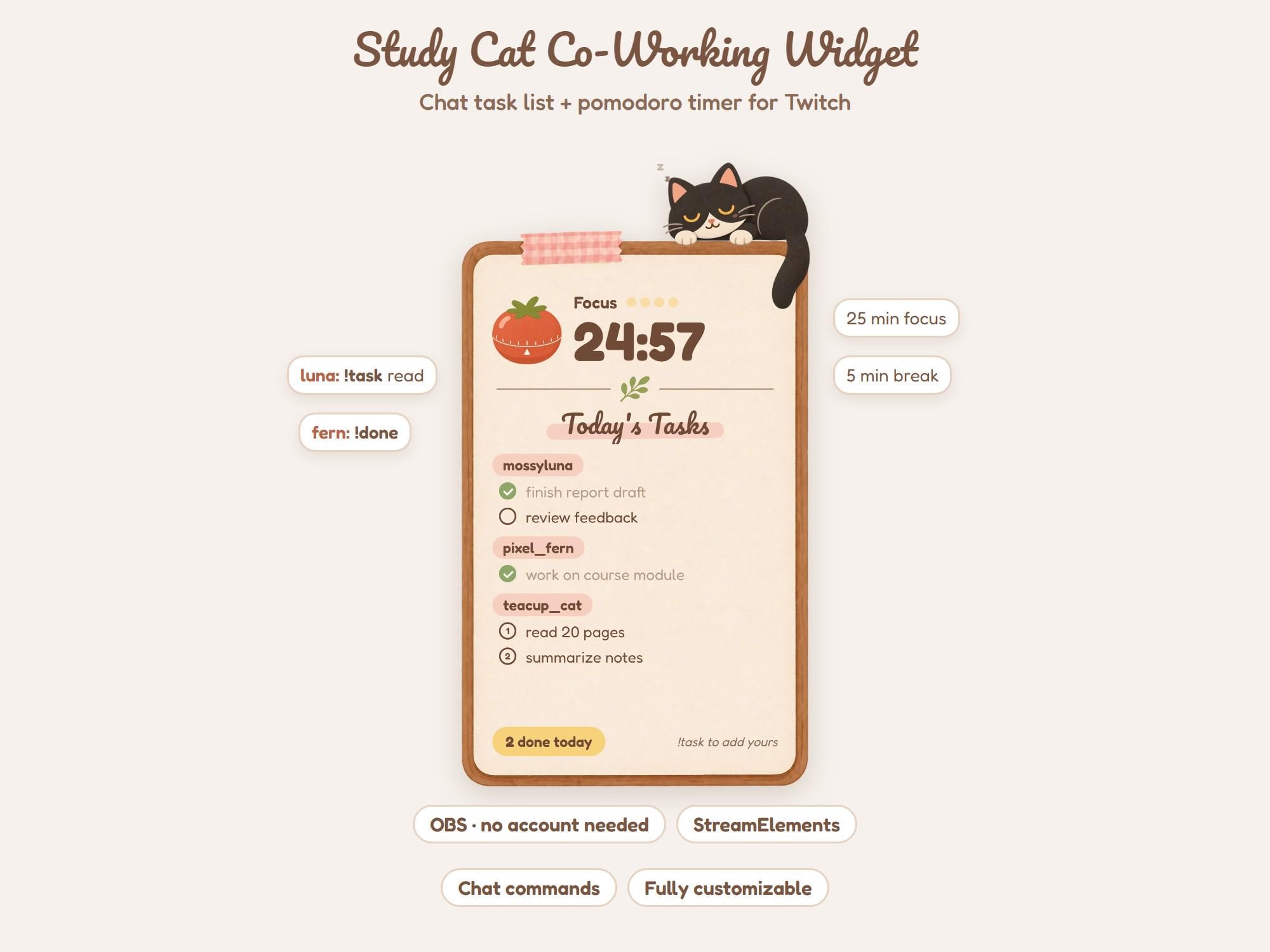
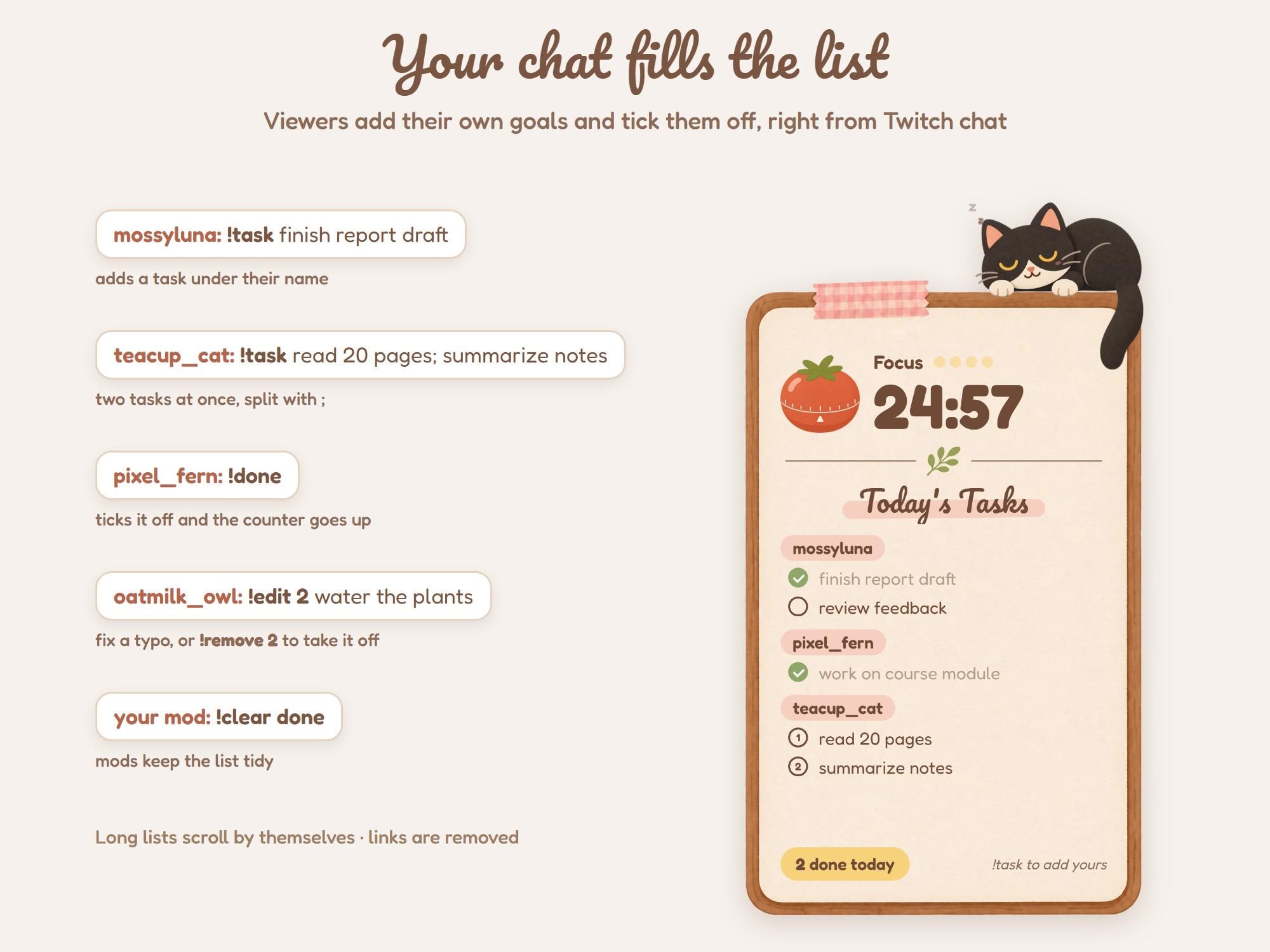
A cozy task list for your study and co-working streams. Your viewers type !task in Twitch chat and their goals show up on a little paper pad, each under their own name. A pomodoro timer keeps the rounds, and a black cat naps on top while everyone works, then wakes up when it is break time.
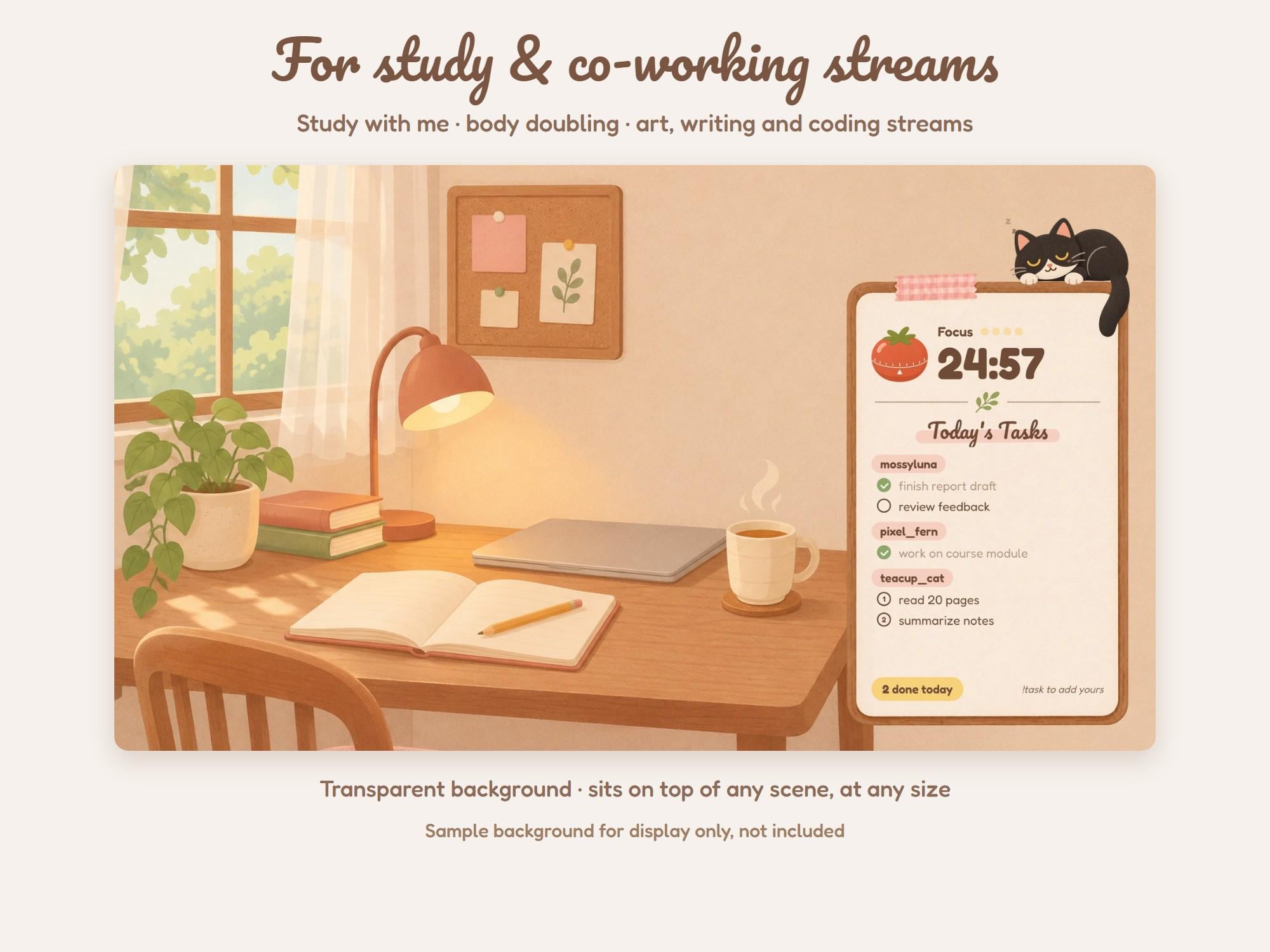
Made for study with me, co-working, body doubling, art, writing and coding streams.
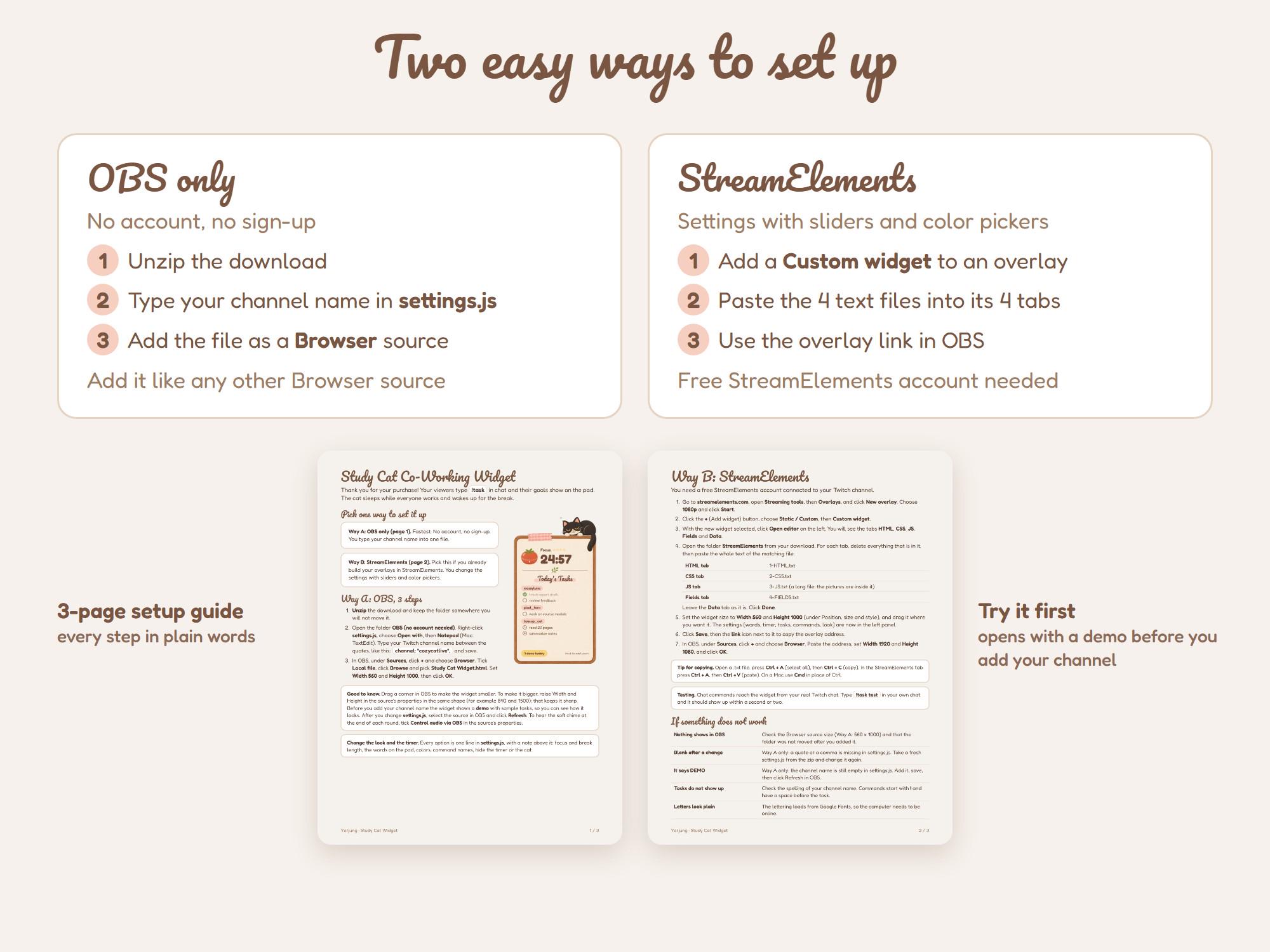
Two ways to set it up
- OBS only: no account and no sign-up. Type your channel name into one file and add it as a Browser source.
- StreamElements: paste 4 text files into a Custom widget and change everything with sliders and color pickers.
A 3-page setup guide shows every step in plain words. Before you add your channel, the widget opens with a demo so you can see it working.
What your chat can do
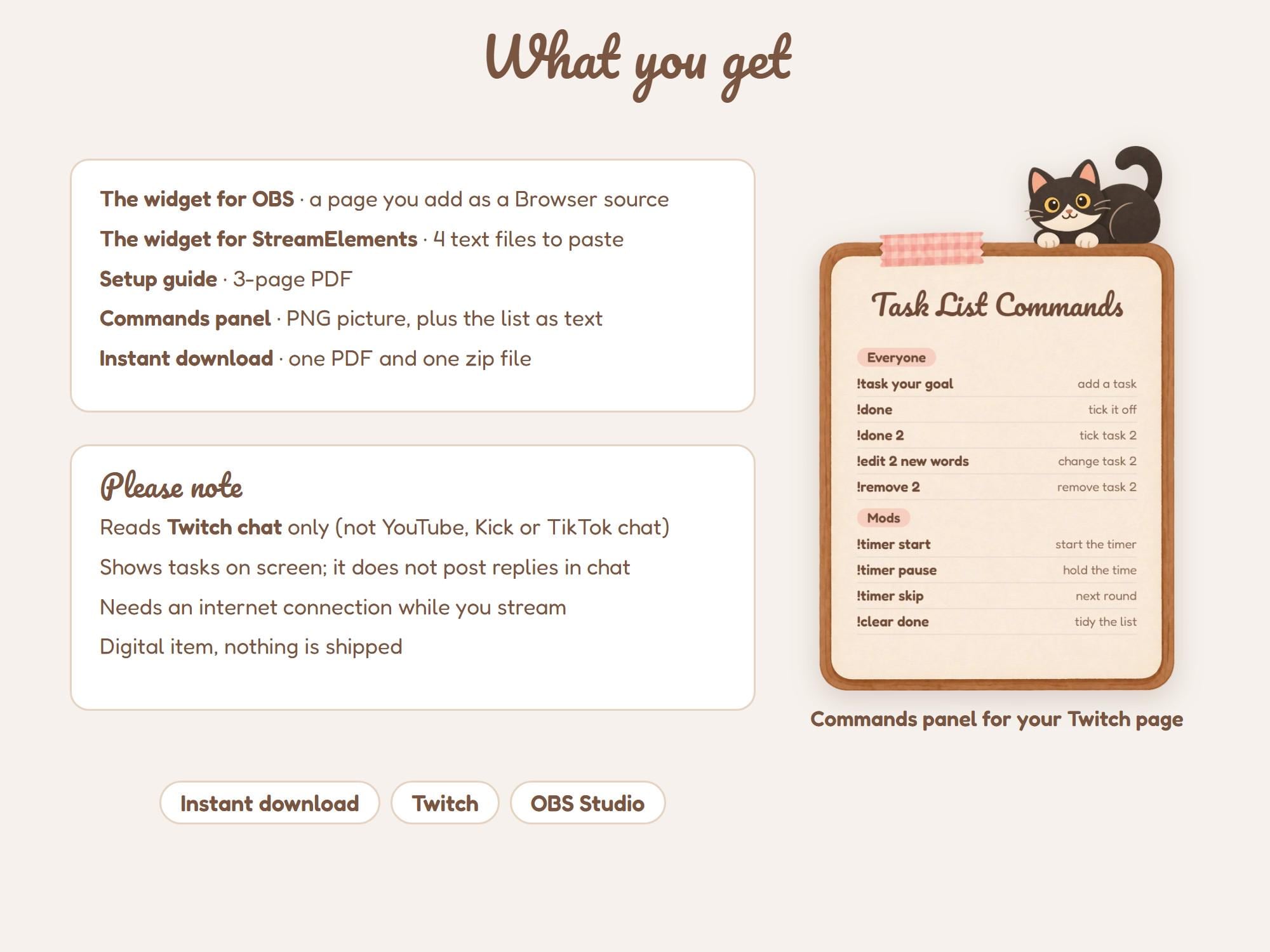
- !task read 20 pages (add a task)
- !task essay; emails (add two at once)
- !done, !done 2, !done all (tick tasks off)
- !edit 2 new words (change a task)
- !remove 2 (take a task off)
What you and your mods can do
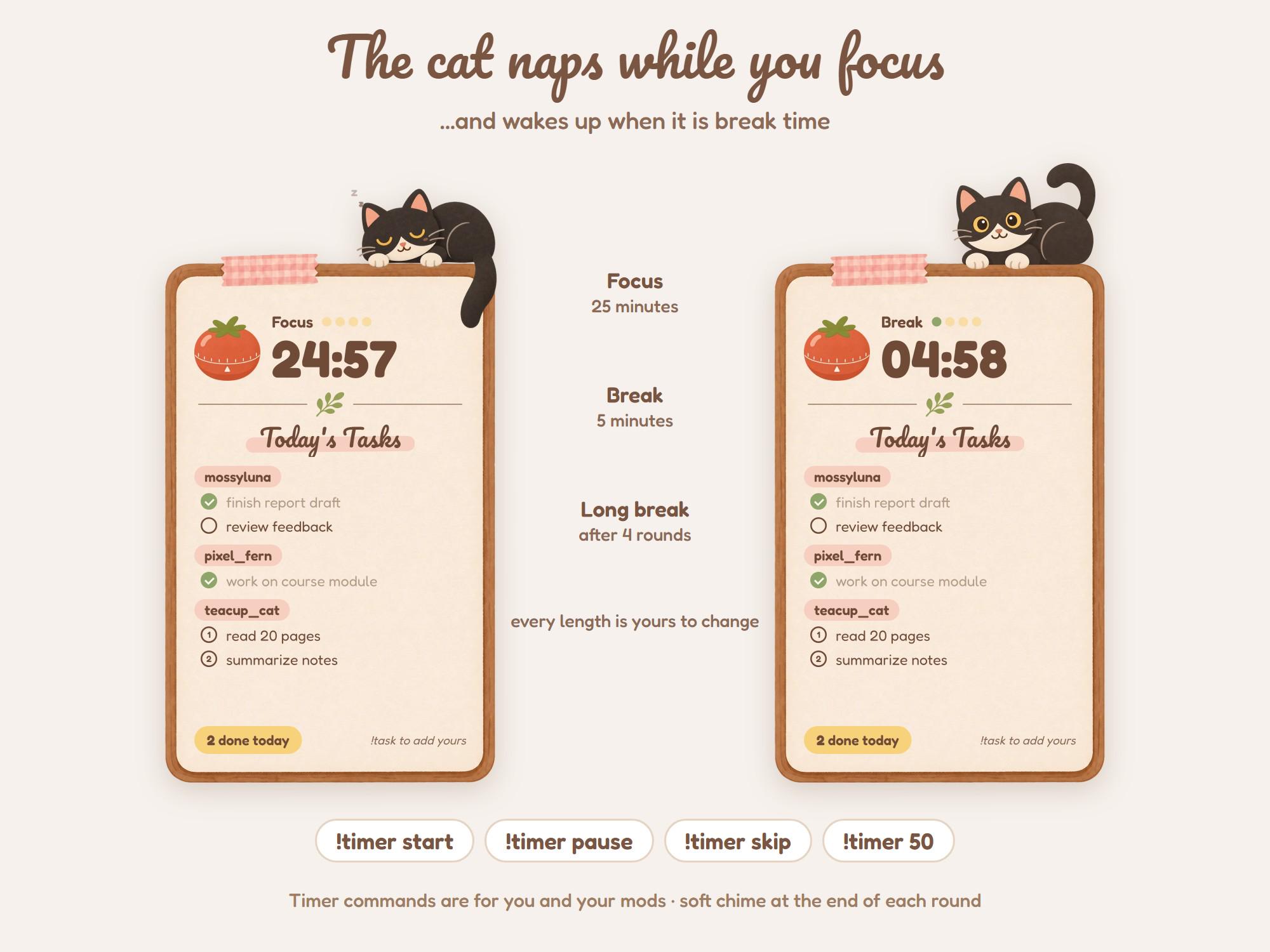
- !timer start, !timer pause, !timer skip, !timer reset
- !timer 50 (set this round to 50 minutes)
- !clear done, !clear @name, !clear (tidy the list)
The timer
- Focus, short break, and a long break after 4 focus rounds: 25 / 5 / 15 minutes, all yours to change
- Dots show the finished rounds
- A soft chime at the end of each round (you set the volume, or turn it off)
- The cat sleeps during focus and wakes up for breaks
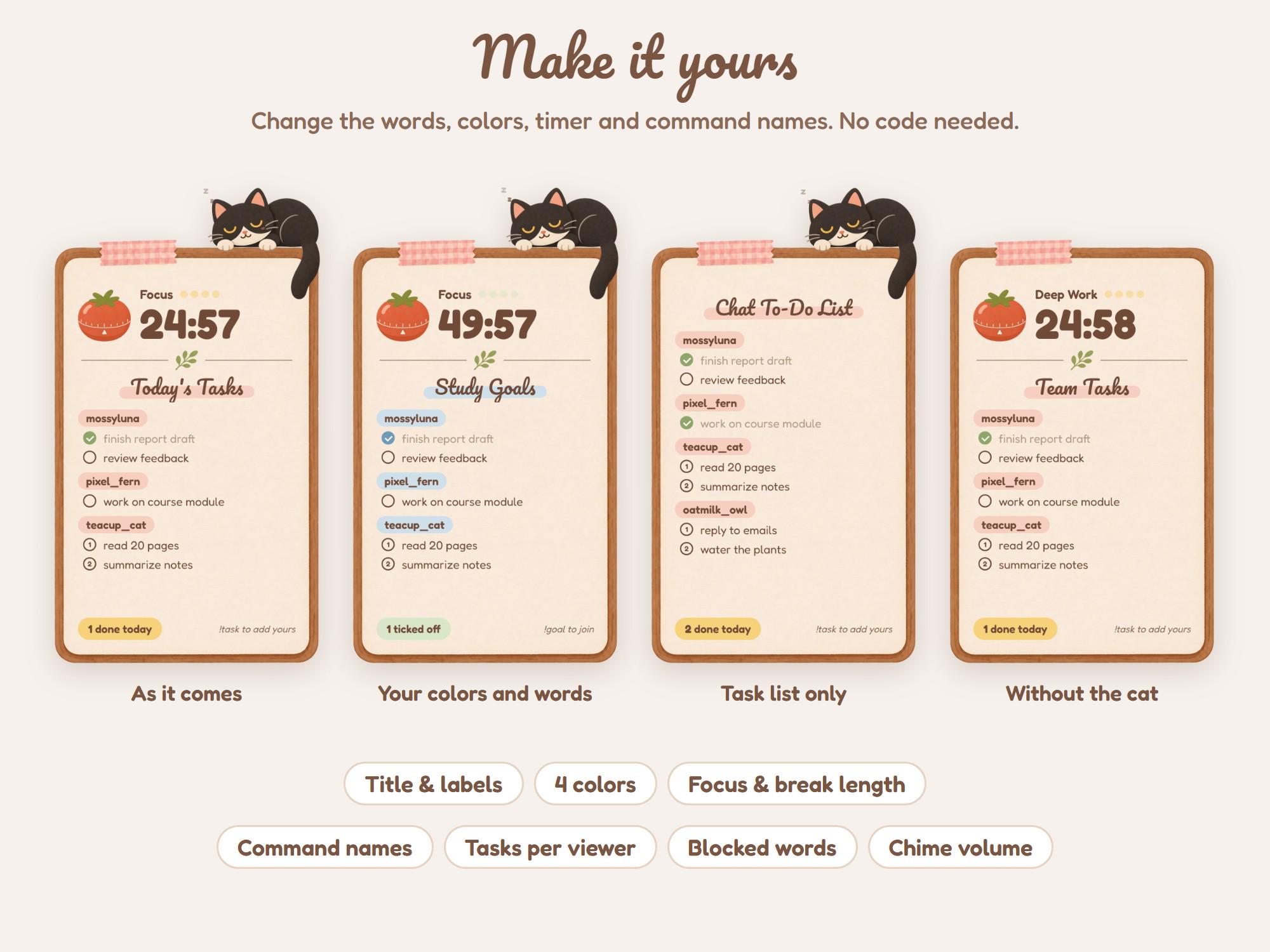
Make it yours
- The title and every word on the pad, in any language
- 4 colors: text, name tags, ticks, counter
- Every command name
- Tasks per viewer, longest task, your own blocked words
- Hide the timer for a task list only, or hide the cat
Good to know
- Long lists scroll by themselves
- A counter shows how many tasks were finished today
- Links are removed from tasks
- The list, the counter and the timer are saved, so a restart does not lose them
- Transparent background, so it sits on top of any scene at any size
What's included
- The widget for OBS (a page you add as a Browser source)
- The widget for StreamElements (4 text files)
- Setup guide, 3-page PDF
- Commands panel picture for your Twitch page (PNG), plus the commands as text
You download 2 files: the setup guide PDF and one zip file.
Please note
- This is a digital download. No physical item will be shipped.
- The widget reads Twitch chat only. It does not read YouTube, Kick or TikTok chat.
- It shows tasks on screen. It does not post replies in your chat.
- You need OBS Studio (or another streaming program with a browser source) and an internet connection while you stream.
- The sample background in the photos is for display only and is not included.
- Colors may look slightly different on different screens.
- Because this is a digital item we can't accept returns or exchanges, but if anything doesn't work, message us and we'll help right away.
- License: use on your own channels, including monetized streams. Please do not resell, share or give away the files.
- Made by Yerjung with the help of AI tools for parts of the artwork. Design, code and layout by Yerjung.